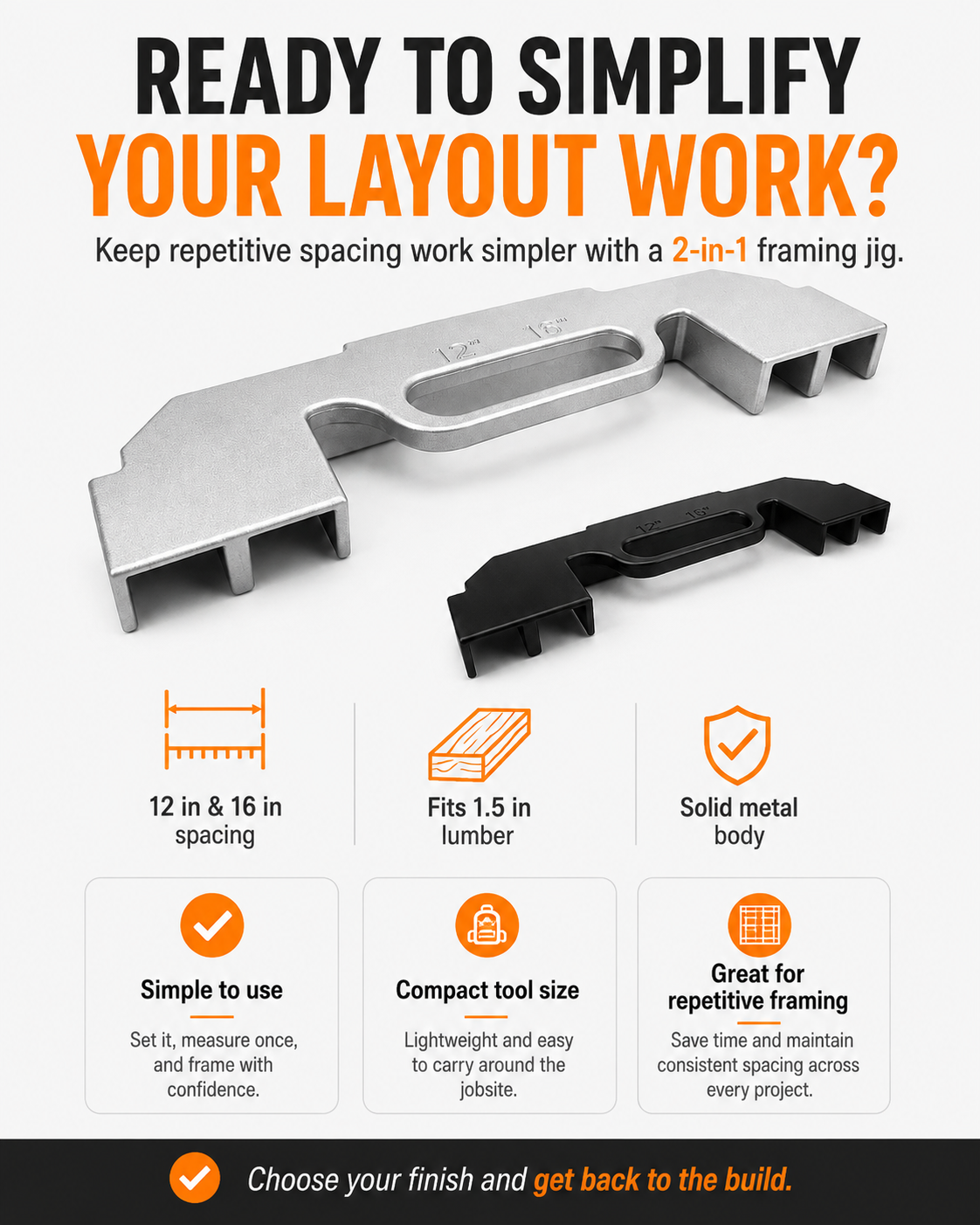
2-in-1 Framing Jig | 12" & 16" Stud Spacing Tool
2-in-1 Framing Jig | 12" & 16" Stud Spacing Tool

BUNDLE & SAVE
Couldn't load pickup availability
-
Ordered
- - -
Order Ready
- - -
Delivered

2-in-1 Framing Jig | 12" & 16" Stud Spacing Tool
A Simpler Way to Handle Repetitive Stud Layouts
One metal framing jig gives you built-in references for 12-inch and 16-inch spacing while working with compatible 1.5-inch lumber.
- 📏 12" & 16" layout options in one compact positioning tool.
- 🪵 Designed around 1.5" lumber for common framing layouts.
- 🔧 Cast aluminum body with a rigid, workshop-ready design.
- ✅ Helps reduce repetitive measuring when the same spacing needs to be positioned again and again.

Why Repetitive Layout Work Gets Frustrating
Measure. Mark. Check. Reposition. Then do it again on the next stud. Those extra steps add up across a framing project.

Turn Repetitive Measuring Into a Simple Positioning Routine
Use the jig as a physical reference while laying out compatible studs.
-
Place the Jig on the Plate
Position the tool where the next framing members need to be laid out. -
Choose the Spacing Position
Use the appropriate positioning slots for your 12-inch or 16-inch layout. -
Position, Fasten & Continue
Hold the lumber in position, fasten according to your project requirements and continue the layout.

Two Common Layouts. One Tool.
Built-in reference positions give you access to both 12-inch and 16-inch spacing without switching between separate jigs.
Why the 2-in-1 design matters
✅ Select the spacing required by your project.
✅ Use the shaped slots as physical positioning references.
✅ Keep the same tool with you as your layout requirements change.

Less Back-and-Forth. More Repeatable Positioning.
The benefit is straightforward: use a physical positioning reference instead of relying only on repeated measuring and marking.
📏 Traditional layout workflow:
Measure → mark → recheck → align.
🔧 Using the framing jig:
Position → hold → fasten → continue.

A Solid Tool for Repeated Layout Work
The simple cast-aluminum form keeps the tool rigid while giving you clearly defined positioning areas and an integrated center grip.

Useful Anywhere You Need Repeatable Layout Spacing
Especially useful for builders and DIYers working through repetitive framing layouts.
- 🏠 Wall Framing when compatible stud spacing needs to be repeated.
- 🛖 Sheds & Workshop Builds for common repetitive framing layouts.
- 🔨 Framing & Woodworking Projects using compatible lumber dimensions.
- 🪚 DIY Builds where a physical spacing reference can simplify layout work.

Check the Specifications Before Ordering
Make sure the jig matches the lumber and spacing used in your project.
| Product Type | 2-in-1 Framing Layout Jig |
|---|---|
| Spacing Options | 12 in / 16 in |
| Lumber Compatibility | Designed around approximately 1.5 in lumber thickness |
| Overall Length | Approx. 453 mm / 17.8 in |
| Overall Height | Approx. 125 mm / 4.9 in |
| Material | Cast aluminum |
| Finish Options | Black / Silver |
| Main Use | Repetitive framing and layout positioning |

Keep Your Repetitive Layout Work Simple
A compact 2-in-1 positioning tool for builders who want a physical 12-inch / 16-inch reference close at hand.

Order With Confidence
Clear dimensions, straightforward product information and support if you need help before ordering.